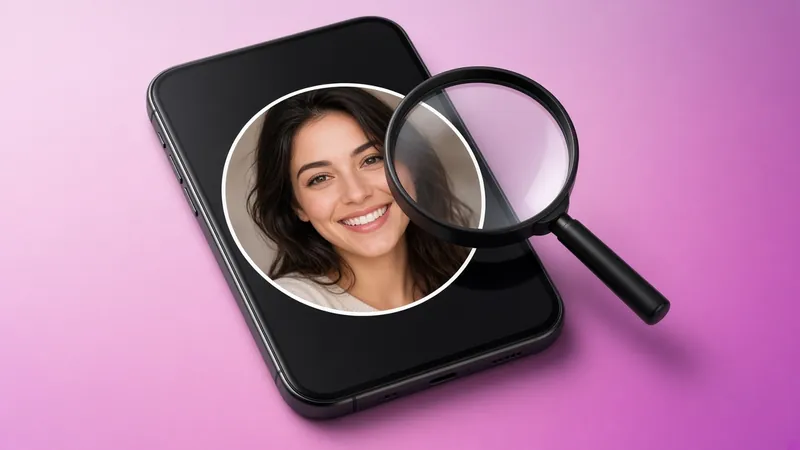
Instagram profile pictures appear as small circles, and tapping them only opens stories. There's no built-in way to zoom in. Here's how to see the full image.
The quick way: IGPVSTORY Profile Viewer
- Copy the username or profile link.
- Open the HD profile picture viewer.
- Paste it and press View profile.
- Tap Download HD profile picture to save the largest version available.
This works for private accounts too, because Instagram keeps profile pictures public.
Desktop method (limited)
On instagram.com you can right-click the profile picture and open the image in a new tab. Instagram usually serves only a 150–320 px version this way, so the result is blurry.
Why HD matters
- Verify identity: spot impersonators who reuse someone's photo.
- Reverse image search: a larger image gives better results on Google Lens or TinEye, helping you catch catfish profiles.
- Brand checks: confirm a logo is the official one.
Is it allowed?
Profile pictures are public by design. Viewing them is fine. Using someone's photo as your own, or for harassment, is not.
Why some pictures aren't sharp
We can only show what the user uploaded. If they uploaded a small or compressed image, that's the maximum available.
Why Instagram keeps profile photos tiny
Profile pictures show up everywhere on Instagram: in the feed, in comments, in DMs and in the story tray. To keep the app fast, Instagram serves a small, circular version, and it doesn't offer a tap-to-zoom option. The originally uploaded file is often much larger, though, and it can be retrieved for public display.
The easy method: IGPVSTORY Profile Viewer
- Copy the username or profile link.
- Open the Profile & HD PFP Viewer.
- Paste it and press View profile.
- The largest available version of the picture appears uncropped. Tap Download to save it.
This works for both public and private accounts, because Instagram treats profile pictures as public information for everyone.
Other methods and their limits
Zooming a screenshot
Taking a screenshot and pinching to zoom just enlarges the small version, so you get a blurry, pixelated image.
Opening the image in a desktop browser
Right-clicking the profile photo on Instagram's website and opening it in a new tab used to reveal a bigger file. Today it usually returns the same small thumbnail, and you may hit a login wall first.
Browser developer tools
Technically minded users can inspect network requests to find image URLs, but the links are signed, expire quickly and are usually still the low-resolution version.
How "HD" is HD?
The result depends on what the person uploaded. If they used a high-resolution photo, you'll typically get a crisp image several times larger than what the app shows. If they uploaded a small or heavily compressed picture, no tool can add detail that was never there.
Good reasons to view a profile picture in full size
- Verify identity. Check whether an account messaging you uses a stolen photo. A reverse image search on the full-size version is far more effective.
- Identify a business. Logos and storefront photos are easier to read at full size.
- Reconnect. Make sure a profile really belongs to the old friend you're looking for before sending a request.
Respect and privacy
A profile picture is public, but it still belongs to the person in it. Don't re-upload it, use it to create a fake account, or share it to embarrass someone. If you want your own picture to be harder to reuse, choose an image you're comfortable being seen in full size, because anyone can retrieve it.
Troubleshooting
If the profile viewer shows a default silhouette, the account hasn't set a picture. If nothing loads, double-check the spelling, then try again in a minute in case the service is briefly busy.
Ready to try it? Open the free Profile & HD PFP Viewer. It works in any browser, with no login and no app.
Quick answers
Will the person know I viewed their profile picture?
No. Instagram doesn't notify people about profile visits or picture views, and IGPVSTORY doesn't use an account, so there's nothing that could be reported.
Can I see an old profile picture after it was changed?
No. Only the current picture is available. Once someone replaces it, the previous image isn't served publicly any more.
What format is the downloaded image?
It's saved as a JPG file, which opens on every phone and computer and can be used with reverse image search tools.